
Games
How to Play Wingo on Goa Game
Step-by-step Wingo on Goa Game: open the period, read colours and numbers, confirm before the timer ends, and read the result without treating history as a forecast.

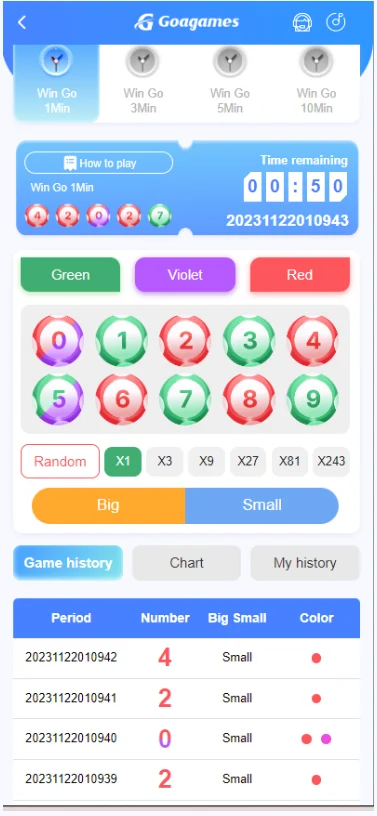
Wingo on Goa Game is a short-period format with colour and number options. This page is a how-to for reading that screen. The deeper layout notes are in the Wingo game page, the Wingo guide, and the selection screen article.
Before you start
- Sign in with Goa Game login or create an account with register.
- Open Wingo only from the platform after you understand the timer.
- Read responsible gaming—short rounds can encourage fast repeats.
Step-by-step
- Choose the period length tab if more than one is shown.
- Read the time left before that period closes.
- Select a colour, a number, or both only as the screen allows.
- Confirm while the period is still open.
- Wait for the published result for that period identifier.
- Treat the history table as past data only.
What “how to play” does not mean
This guide does not give a colour pattern, a “safe number”, or a claim that past greens make the next red due. Colour Prediction is a related but separate format: see Colour Prediction.