
Account
Goa Game Register
How new users register on Goa Game, from opening the form to verification, with screenshots and privacy notes.
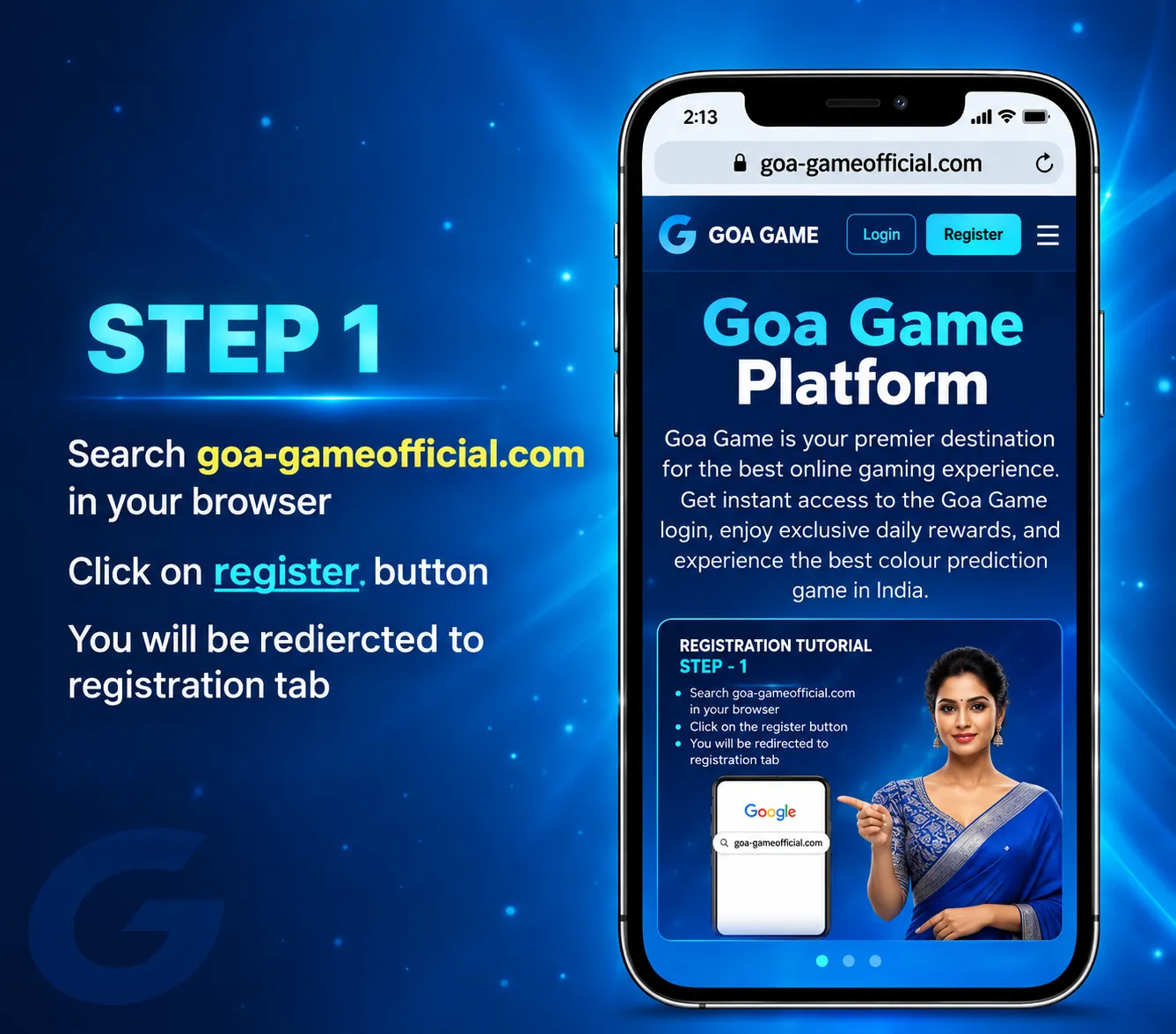
Registration is for new users, and it is only available when the platform is accepting accounts. This website does not keep its own register form. Select Register in the header, or open Goa Game register. The screenshots below show the steps in order. Labels on your screen win if they differ.
Step 1: Open the registration page
Visit the current Goa Game website and select Register. Read the eligibility notes and the terms before you submit anything. If registration is closed, the screen usually says so; do not use a third-party “register for you” service.
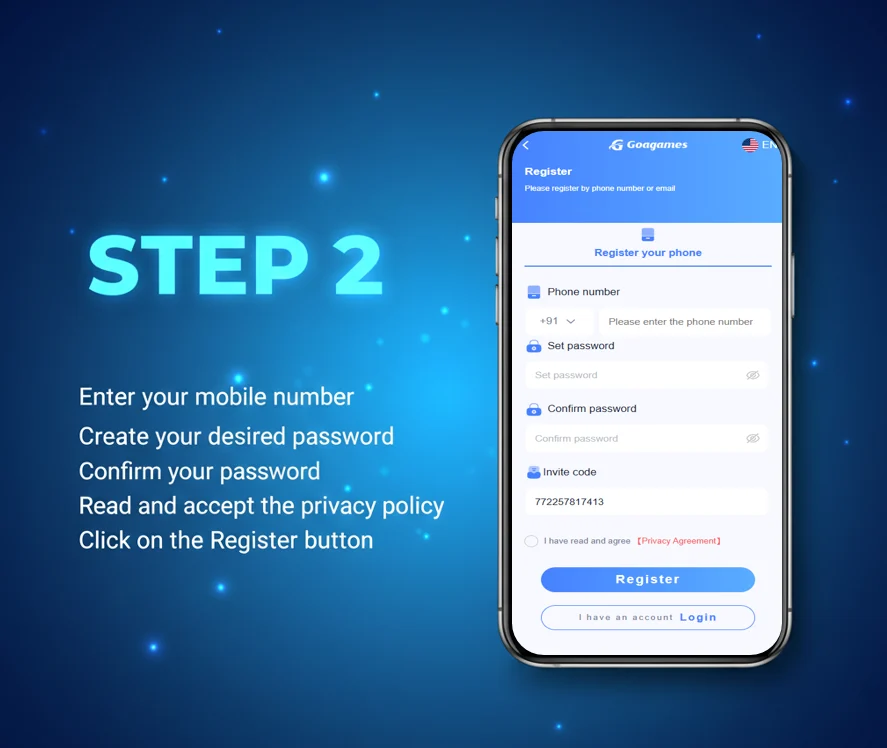
Step 2: Enter your details
Fill in the mobile number and password the form asks for. Use your own number and a password you have not used on email or banking. Write the password down offline if you need to; do not put it in a chat.
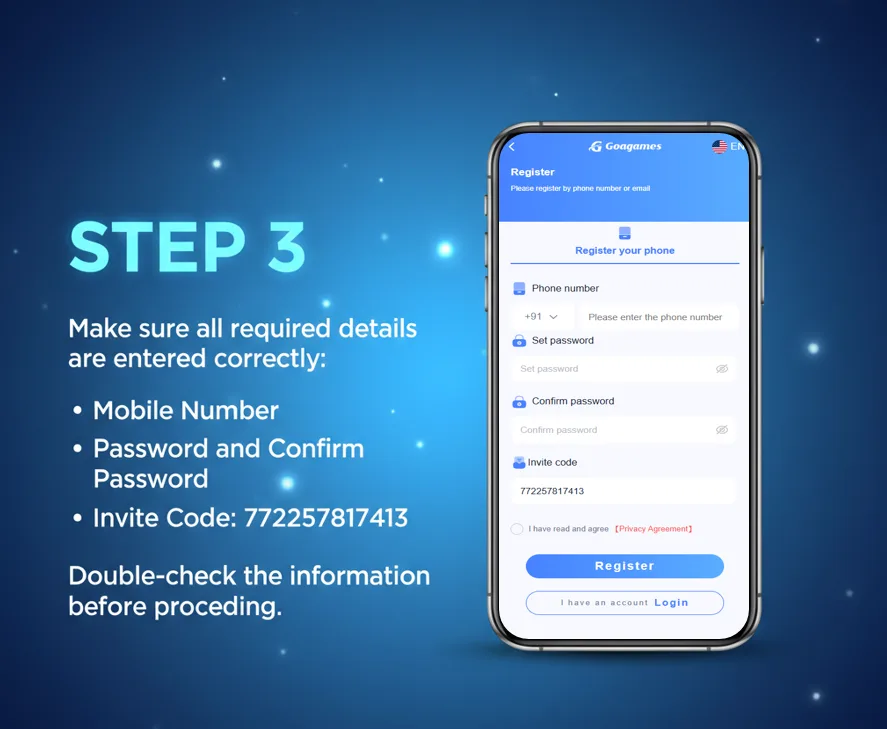
Step 3: Check the information
Review the details on the next screen before you continue. Correct anything that does not match your account. A mistyped number is the most common reason OTP fails later.
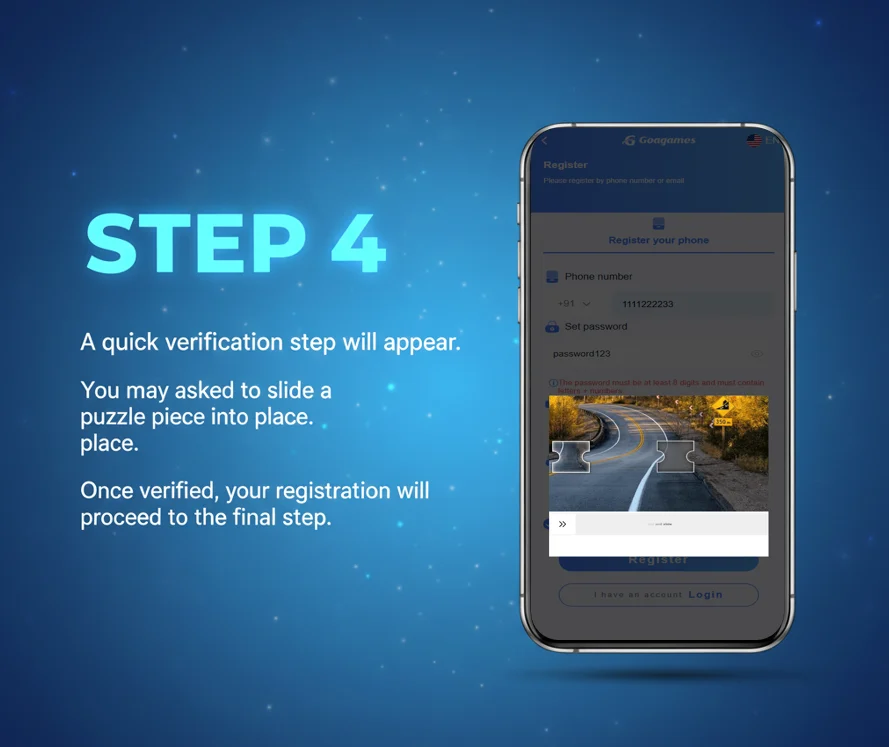
Step 4: Complete verification
If the platform asks for a code or another check, complete it with your own phone. Do not share that code. If the code is delayed, wait, then request again only as often as the screen allows. See OTP not received if it never arrives.
Step 5: Finish and sign in
Submit the form, then sign in with the details you just created. Keep the password private. Do not share it with anyone who claims to be offering registration support or “account upgrade”.
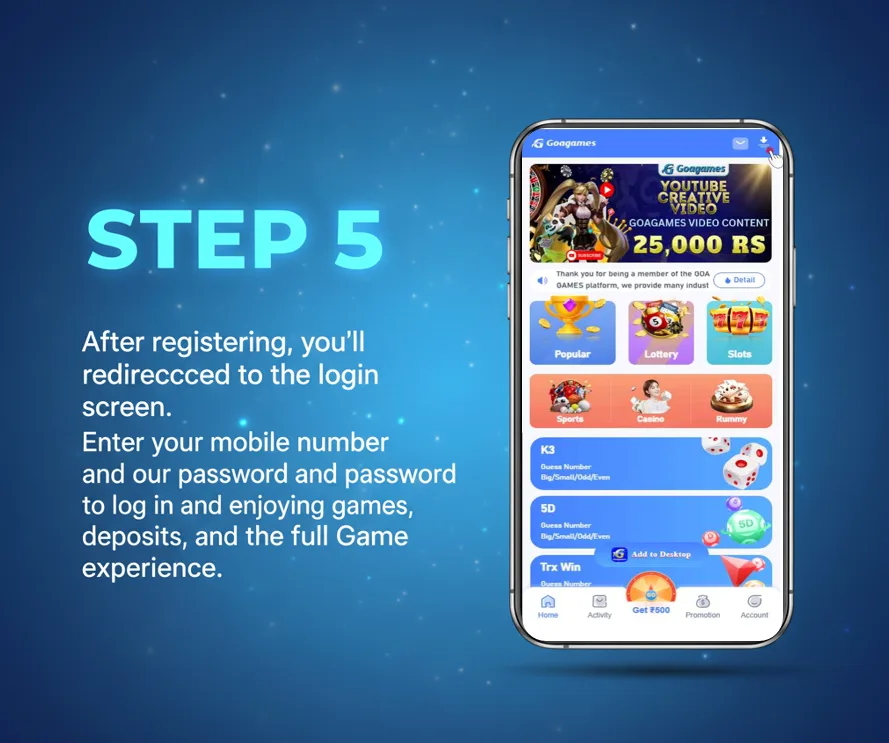
After registration
People who already have an account should use the login guide instead of creating another account. Next, read the beginner guide and one game page such as Wingo or K3 Lottery. Wallet steps are in recharge and withdraw when you need them.