
Account
Goa Game Login
How existing users open Goa Game login, what a typical sign-in asks for, what to check if OTP or password fails, and how this site differs from the platform.
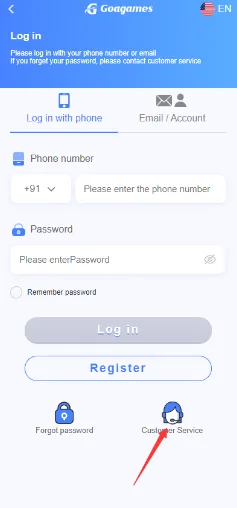
Goa Game login is for people who already have an account on the platform. This website does not host its own login form. Use Login in the header, which opens the platform account screen, or go straight to Goa Game login. The written steps below match what a typical sign-in asks for; the labels on your screen are the ones that apply.
Before you sign in
Confirm the address in the browser. Do not enter a password, OTP, PIN, or recovery code on a page that only looks like the platform. Bookmark the address you trust. If someone messages you a “faster login” link, ignore it.
Basic login process
- Open the current Goa Game website or tap Login on this guide site.
- Select Login on the platform.
- Enter the mobile number, username, or other field the form shows.
- Enter the password, then complete any OTP or captcha step.
- Open the account only after that check succeeds.
A typical login uses the same credentials from registration. If sign-in fails, check the connection and the exact digits you typed. Never share a password or OTP with another person, including someone who claims to be support.
If you forget the password
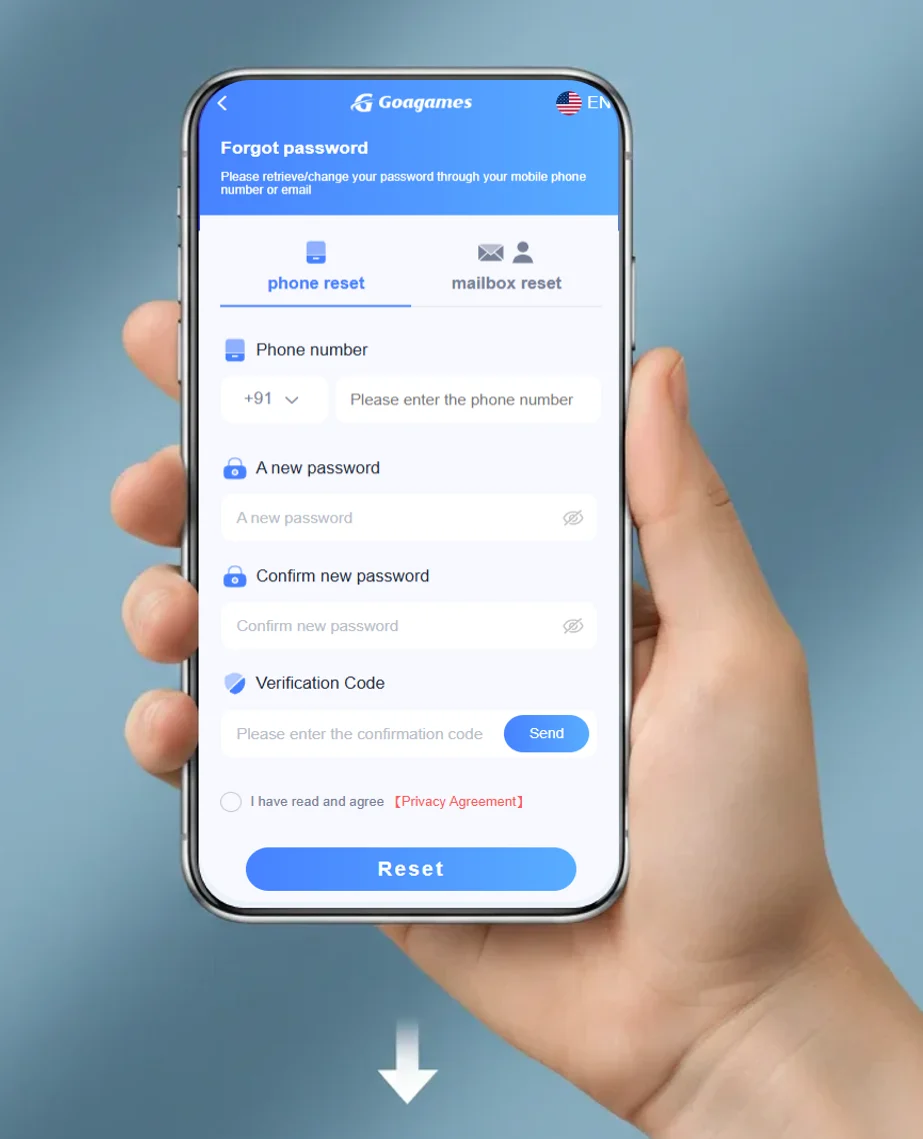
On the login screen, use the forgot-password option shown there. Confirm the mobile number or email that belongs to the account, then follow the reset steps on that screen. If the reset does not go through, the platform can show a customer-service option. Do not send a password or OTP to anyone who offers to fix the account for you.
OTP and common problems
Wrong credentials, a cached old page, a weak connection, or a short service interruption can all block login. Recheck the username or mobile number and the password. If an OTP is required, the registered number needs signal and space for SMS. Wait before requesting another code. If codes never arrive, see the OTP checklist and the FAQ.
- Wrong password: reset with forgot-password, then try again.
- Wrong number: confirm the country code and digits from registration.
- Browser issues: clear site data for that host, or try another browser.
- Account lock: wait for the cooldown the screen describes; do not create a second account to “bypass” it.
What this website does not do
This site explains the login path. It does not store your password, receive your OTP, or reset the account for you. New users should read the registration guide. After you are inside, the selection screen article and the games library explain formats only.