
Games
How the Goa Game Selection Screen Works
A detailed look at the Win Go screen: periods, colours, numbers, history table, and what the layout does not mean.
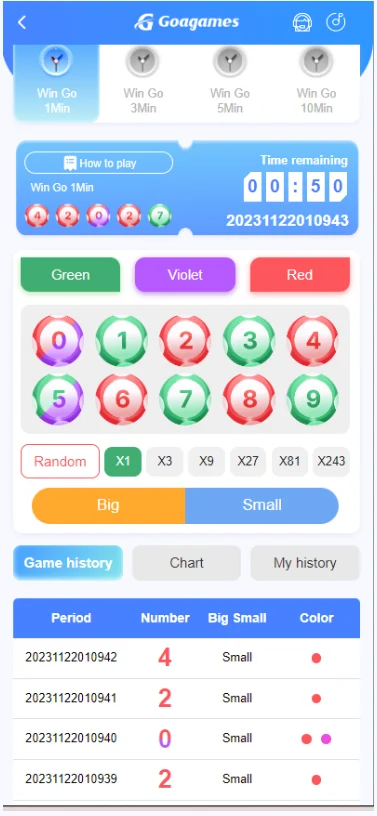
After you sign in, a Win Go screen can show a short period, colour buttons, number buttons, and a history table. The labels and timers on your screen are the ones that apply. This page only explains that layout so you can read it without treating the table as a forecast.
What the screen is showing
- A period length, such as 1 minute or 3 minutes, if those tabs are visible
- Time left before that period closes
- Colour choices and the numbers 0 to 9
- A history table of earlier periods
Timer and confirm
Selections belong to the open period. When the timer ends, that period closes. Confirm only while the screen still accepts input. A late tap after close usually applies to the next period or is rejected—read the toast or banner the platform shows.
History is a record
The history table is a record of completed periods. It does not decide the next result. A colour that appeared often is not “due to stop”. A colour that appeared rarely is not “due next”.
Read Wingo, the Wingo game guide, and responsible gaming before you use the screen. How-to steps for first-time players are also in How to play Wingo.